Let’s be honest, most of us spend way too much time sitting at our desks, whether you’re working from home in your pajamas or stuck in an office chair for eight hours straight, your body is probably screaming at you. That stiff neck, those tight shoulders, or that nagging lower back pain? They’re all telling you the same thing: it’s time to move.
The good news is you don’t need a gym membership or fancy equipment to feel better. In fact, you can start right where you are, sitting in your chair. These office stretches and desk stretches are specifically designed for desk workers who spend most of their day at computers. Once you start doing them regularly, you’ll wonder how you ever survived without them.
The Hidden Dangers of Sitting All Day
Before we jump into the stretches, let’s talk about why sitting all day is such a big deal. Understanding what’s happening to your body can motivate you to actually do these sitting all day stretches instead of just bookmarking this page and forgetting about it.
How Sitting Affects Your Body
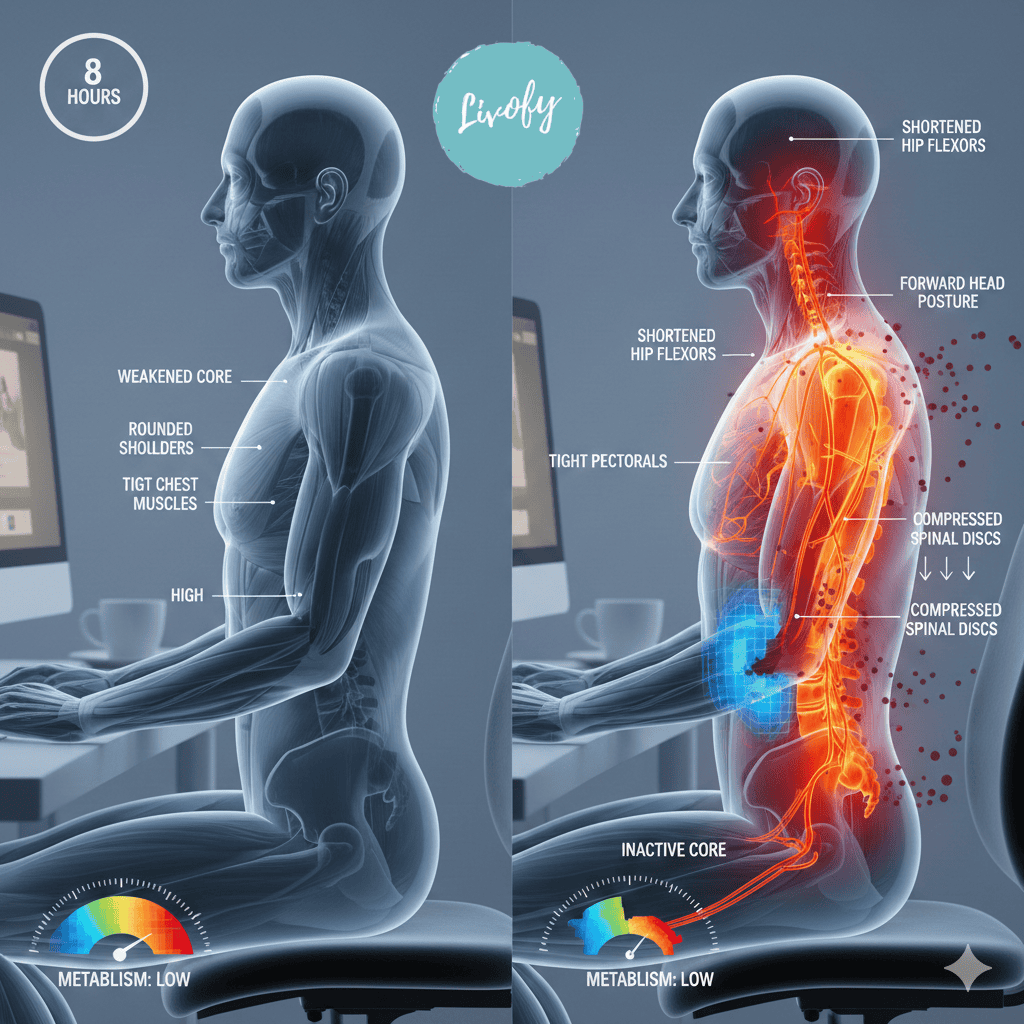
When you sit for hours on end, your body basically goes into power-saving mode, and your muscles start to tighten up, especially in your hips, back, and shoulders. Meanwhile, other muscles like those in your core and glutes get weaker because they’re not being used. It’s like your body is slowly forgetting how to work properly.
Think about it this way: our bodies were designed to move, not to sit hunched over a keyboard for hours. When you’re stuck in the same position all day, your blood flow slows down, your metabolism takes a hit, and your posture gradually deteriorates. Over time, this leads to chronic pain, reduced flexibility, and even long-term health problems.
Common Problems from Desk Work
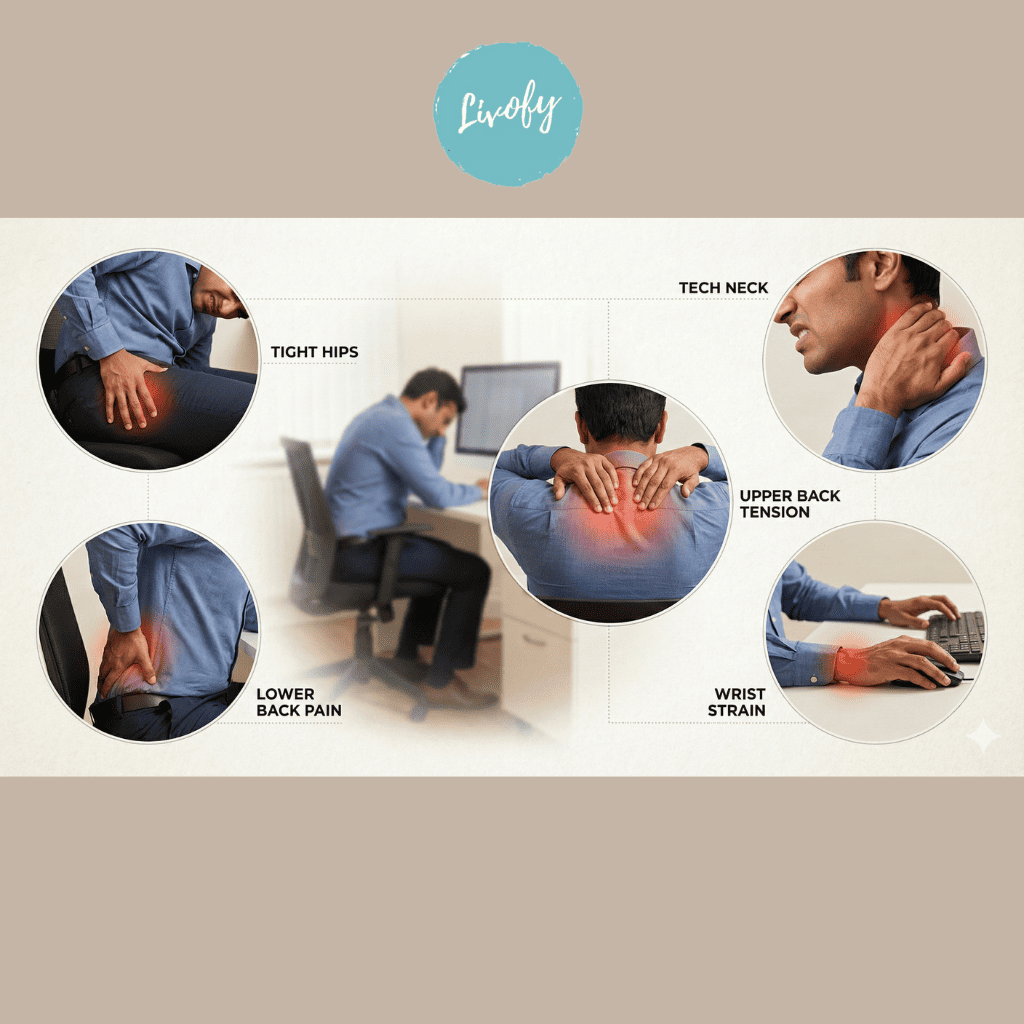
If you’re experiencing any of these issues, you’re definitely not alone. Most people who work desk jobs deal with at least one of these problems, and many deal with all of them at some point. The tight hips and hip flexors are usually the first to complain, which get shortened from being in a bent position all day.
Then there’s the upper body drama. Your neck starts creeping forward as you lean into your screen (hello, tech neck!), your shoulders round forward, and your upper back feels like it’s carrying the weight of the world. Add in some wrist strain from typing and mouse work, and you’ve got a perfect storm of discomfort.
Why Movement Breaks Matter
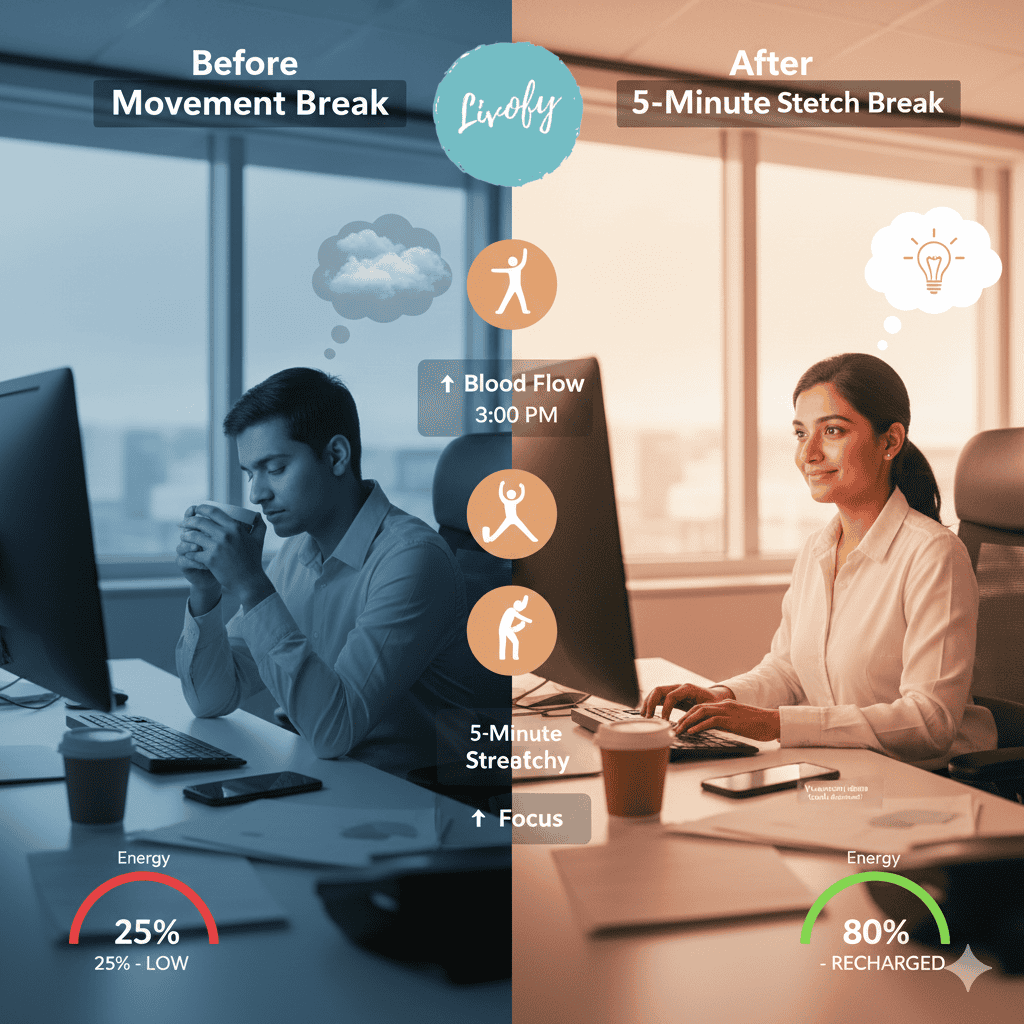
Here’s the thing: stretching isn’t just about feeling good in the moment; it’s about taking regular movement breaks that actually reset your body, which is kind of like hitting the refresh button on your browser. When you take even just a few minutes to stretch, you’re increasing blood flow to your muscles, releasing tension, and reminding your body how to move properly.
Studies show that taking short breaks to move and stretch can improve your focus, boost your energy, and even make you more productive. So really, workplace stretching isn’t taking time away from your work. It’s actually helping you work better. Plus, it beats that afternoon coffee run for perking you up.
Understanding Desk Worker Pain
Now that we know why sitting is problematic, let’s break down the specific pain points you’re probably dealing with. Understanding where your pain comes from makes it easier to target it with the right posture correction exercises.
Tech Neck and Forward Head Posture
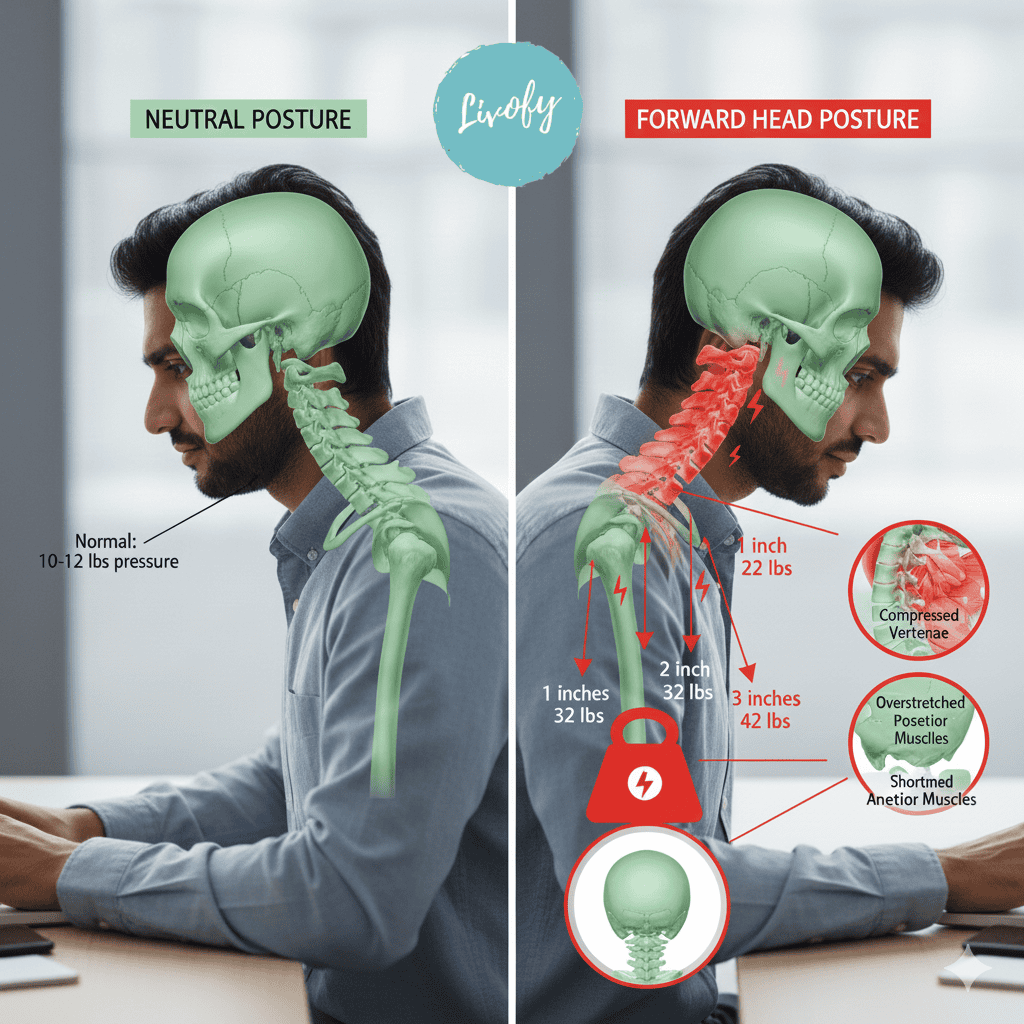
You know that thing where you catch your reflection in a video call and realize your head is jutting forward like a turtle? That’s tech neck, and it’s become so common that it’s practically an epidemic among computer workers. Every inch your head moves forward adds about 10 pounds of pressure on your neck and upper back muscles. No wonder they’re screaming at you by the end of the day.
This forward head posture doesn’t just cause neck pain. It leads to headaches, jaw tension, and even affects your breathing. The muscles at the back of your neck get overstretched and weak, while the ones in front get tight and shortened.
Lower Back Pain from Sitting
Lower back pain is probably the most common complaint among desk workers, and for good reason. When you sit all day, your hip flexors tighten up and pull on your lower back, while your core muscles basically take a vacation. This combination creates the perfect recipe for pain.
The discs in your spine also don’t love prolonged sitting. They need movement to stay healthy and get the nutrients they need. When you’re stuck in one position, these discs can become compressed and irritated. That’s why you might notice your back feels worse at the end of the day than it did in the morning.
Tight Hips and Hip Flexors
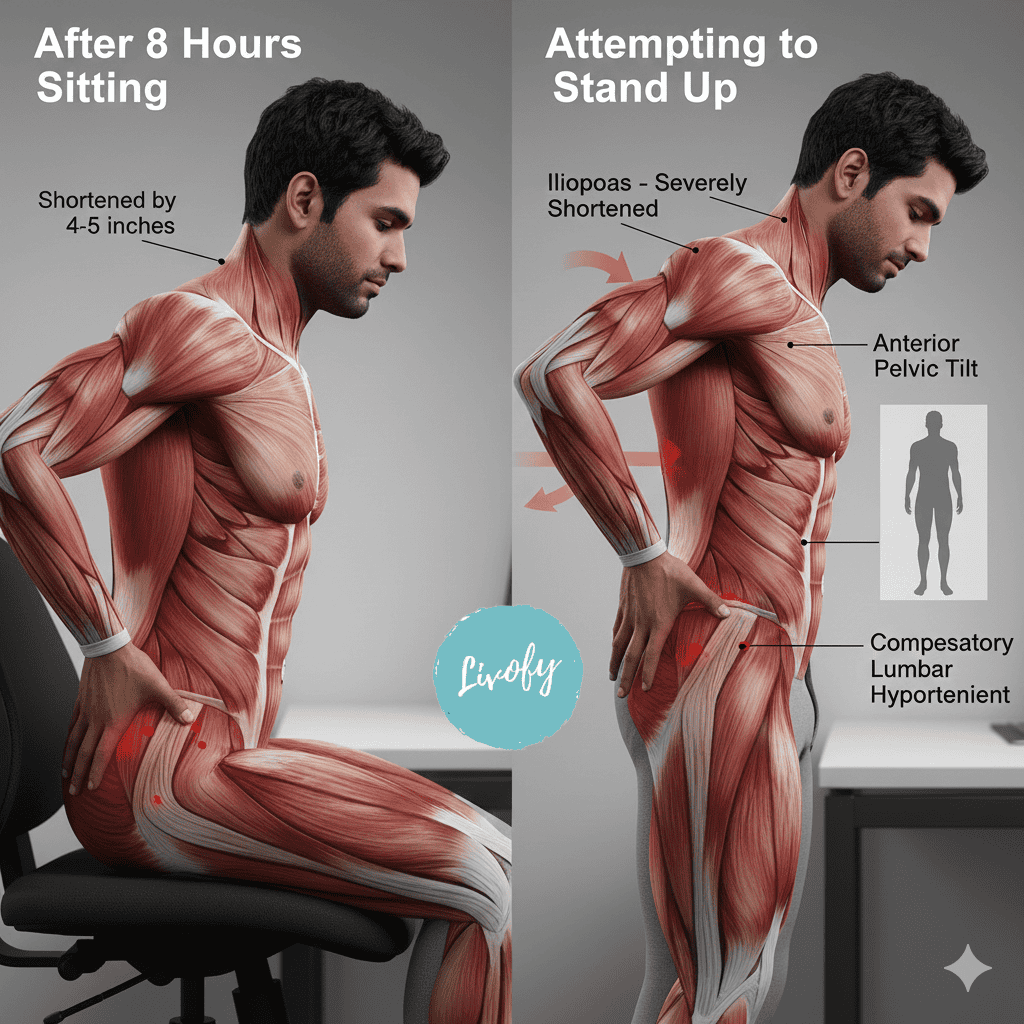
Your hip flexors are these powerful muscles that connect your thighs to your spine. When you’re sitting, they’re in a shortened position all day long. Eventually, they adapt to this position and stay tight even when you stand up. This is why you might feel stiff when you first get up from your chair, or why touching your toes seems like an impossible dream.
Tight hip flexors don’t just affect your hips; they can throw off your entire posture and contribute to lower back pain. They can even affect how you walk and move throughout your day. The good news is that these muscles respond really well to hip flexor stretches sitting, so you can see improvements pretty quickly.
Shoulder and Upper Back Tension
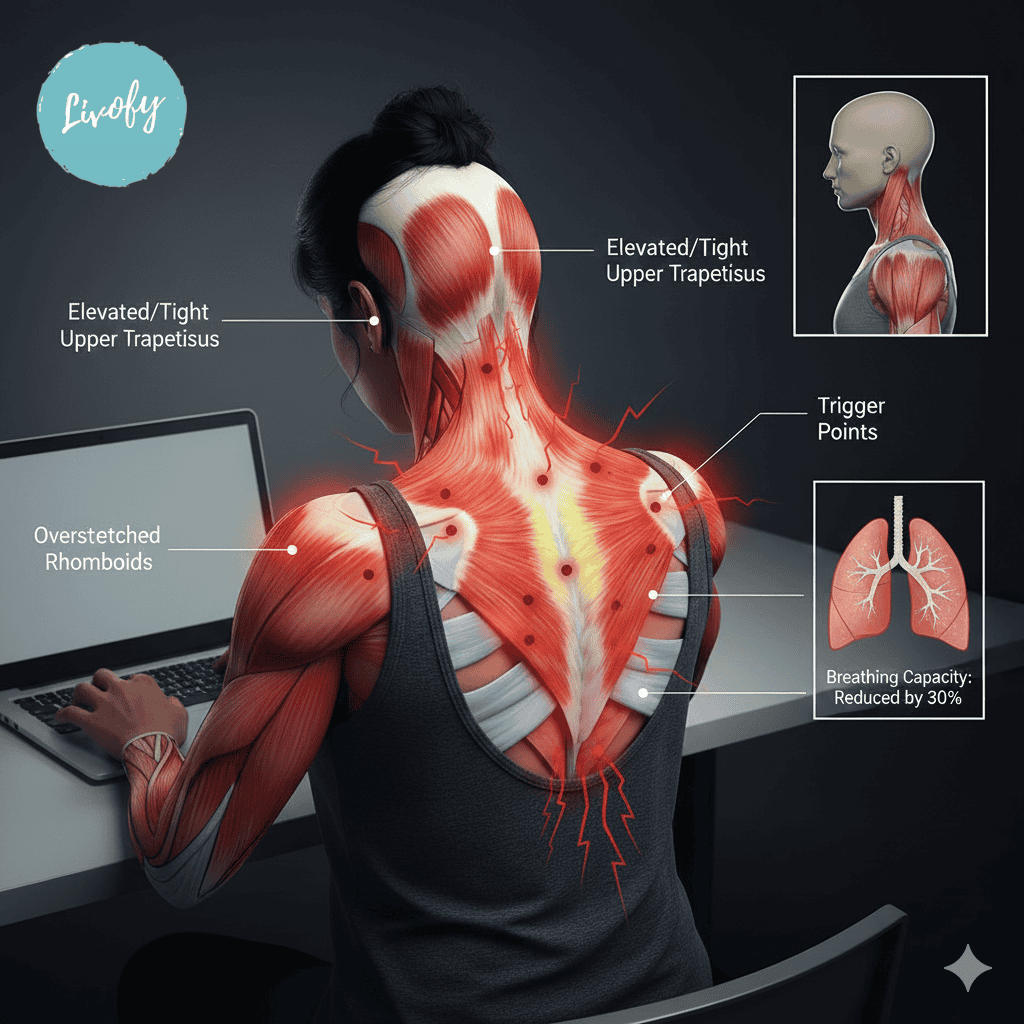
Ever feel like you’re carrying the weight of the world on your shoulders? That’s because, in a way, you are. Or at least the weight of your head and arms. When you’re typing or using a mouse, your shoulders tend to creep up toward your ears and roll forward. Your upper back muscles have to work overtime to support this position, leading to those knots and trigger points.
This tension in your shoulders and upper back can cause referred pain that travels up into your neck and head, or down into your mid-back. It can also affect your breathing since tight chest muscles and rounded shoulders compress your ribcage.
Wrist and Hand Strain
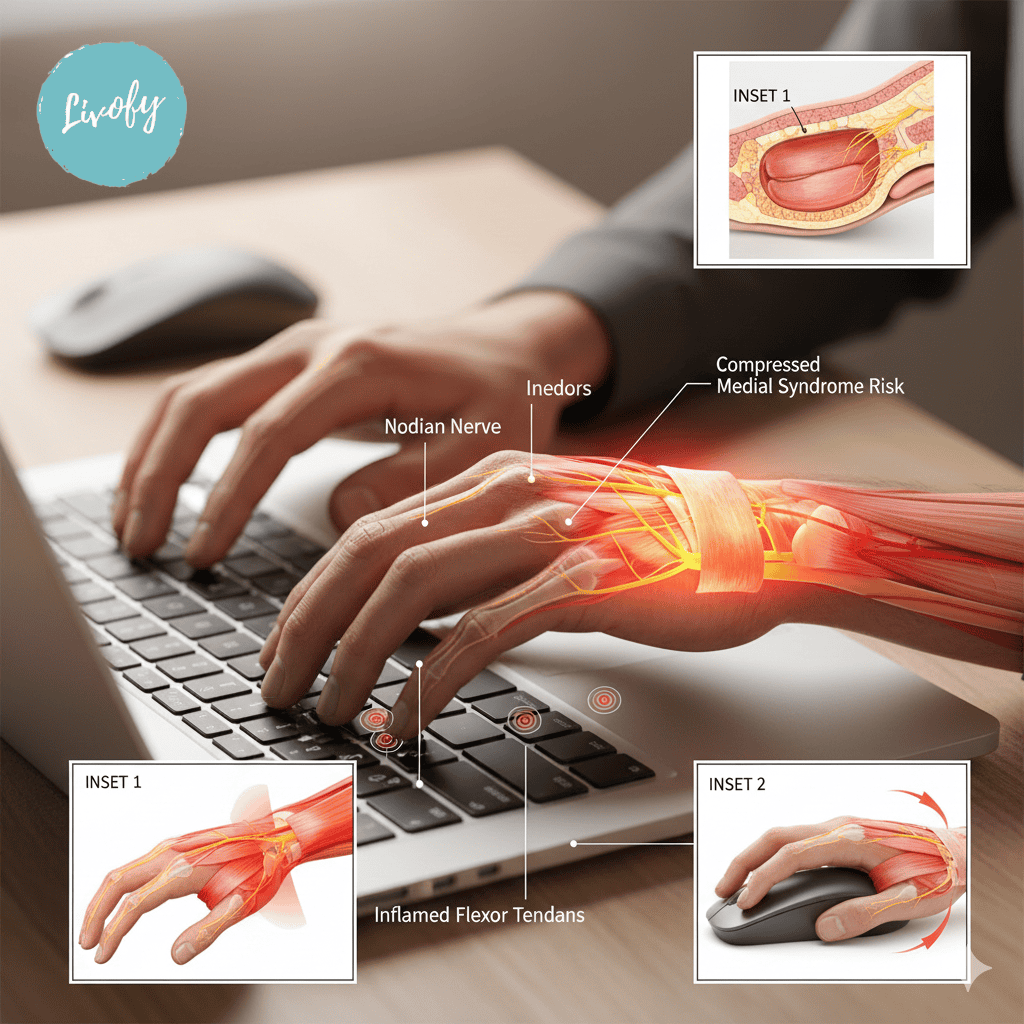
Your hands and wrists take a beating during computer work. Hours of typing and mouse clicking can lead to conditions like carpal tunnel syndrome, where the nerve running through your wrist gets compressed. You might notice numbness, tingling, or pain in your hands and fingers, especially your thumb, index, and middle fingers.
The thing is, wrist problems don’t just come from your wrists. Often, tension in your forearms, shoulders, and neck can contribute to or worsen hand and wrist issues. That’s why a complete approach to stretching is so important for prevention.
The Best Stretches for Immediate Relief
Alright, enough with the doom and gloom. Let’s get to the good stuff, the actual desk job exercises that will help you feel better right now. These are simple, effective, and can be done without leaving your workspace.
You don’t need to change into workout clothes or roll out a yoga mat. Just you, your chair, and a few minutes of your time.
Neck Stretches You Can Do at Your Desk
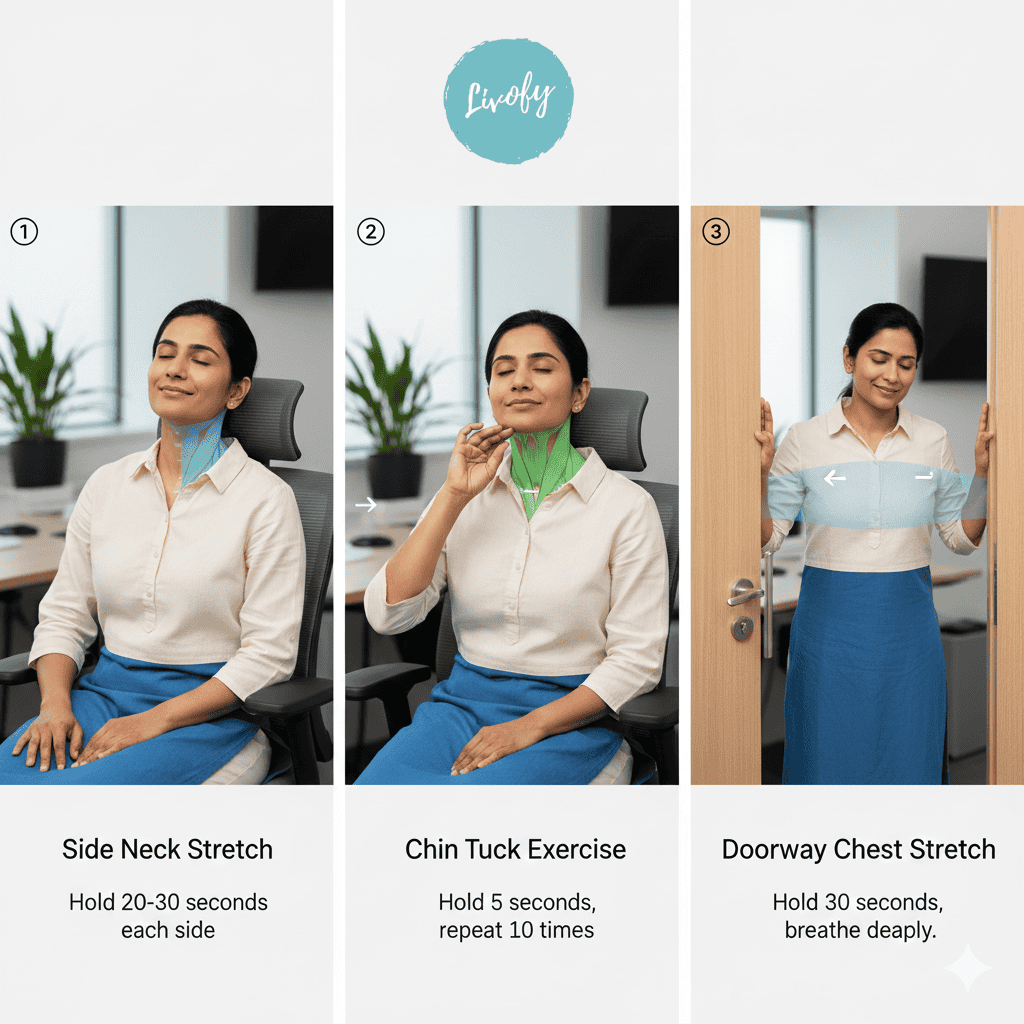
Your neck carries a lot of tension, so these neck stretches at desk should be part of your daily routine.
Start with a simple side neck stretch. Gently tilt your head toward your right shoulder, bringing your ear closer to your shoulder without lifting your shoulder.
You should feel a nice stretch along the left side of your neck. Hold this for about 20-30 seconds, then switch sides.
Next, try the chin tuck. This one’s great for tech neck. Sit up tall and gently draw your chin straight back, like you’re trying to make a double chin (yes, it looks ridiculous, but it works).
Don’t tilt your head down. Keep it level. You should feel a stretch at the base of your skull and the back of your neck.
Hold for a few seconds, release, and repeat 5-10 times. This helps strengthen the muscles that support proper head position.
For the front of your neck and chest, try the doorway stretch. Stand in a doorway with your hands on either side of the frame at shoulder height.
Step forward slightly until you feel a gentle stretch across your chest and the front of your shoulders. This helps open up all that tightness from hunching forward.
Hold for 30 seconds and breathe deeply.
Shoulder Rolls and Stretches
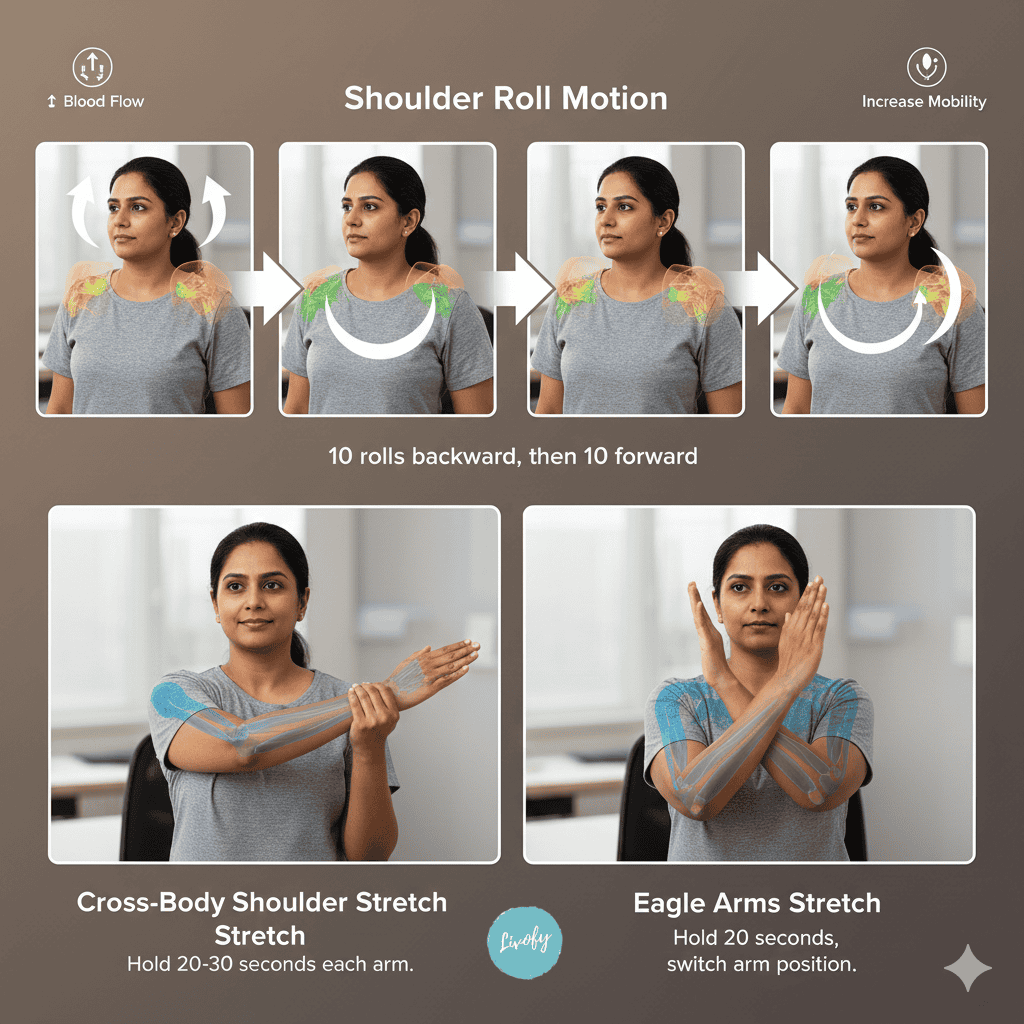
Shoulder stretches, office routines are probably the easiest of all stretches, but don’t underestimate their power.
Simply roll your shoulders backward in big, slow circles. Really exaggerate the movement. Bring them up toward your ears, back, down, and forward.
Do about 10 circles backward, then reverse and do 10 forward. This helps release tension and increases blood flow to the area.
For a deeper shoulder stretch, reach your right arm across your body at chest height. Use your left hand to gently pull your right arm closer to your chest.
You should feel a stretch in the back of your right shoulder. Hold for 20-30 seconds, then switch arms.
The eagle arms stretch is another great one for the shoulders and upper back. Extend both arms in front of you, then cross your right arm over your left at the elbows.
Bend your elbows and try to bring your palms together (or get as close as you can). Lift your elbows slightly and feel the stretch between your shoulder blades.
Hold for 20 seconds, then switch which arm is on top.
Upper Back Stretches for Tension
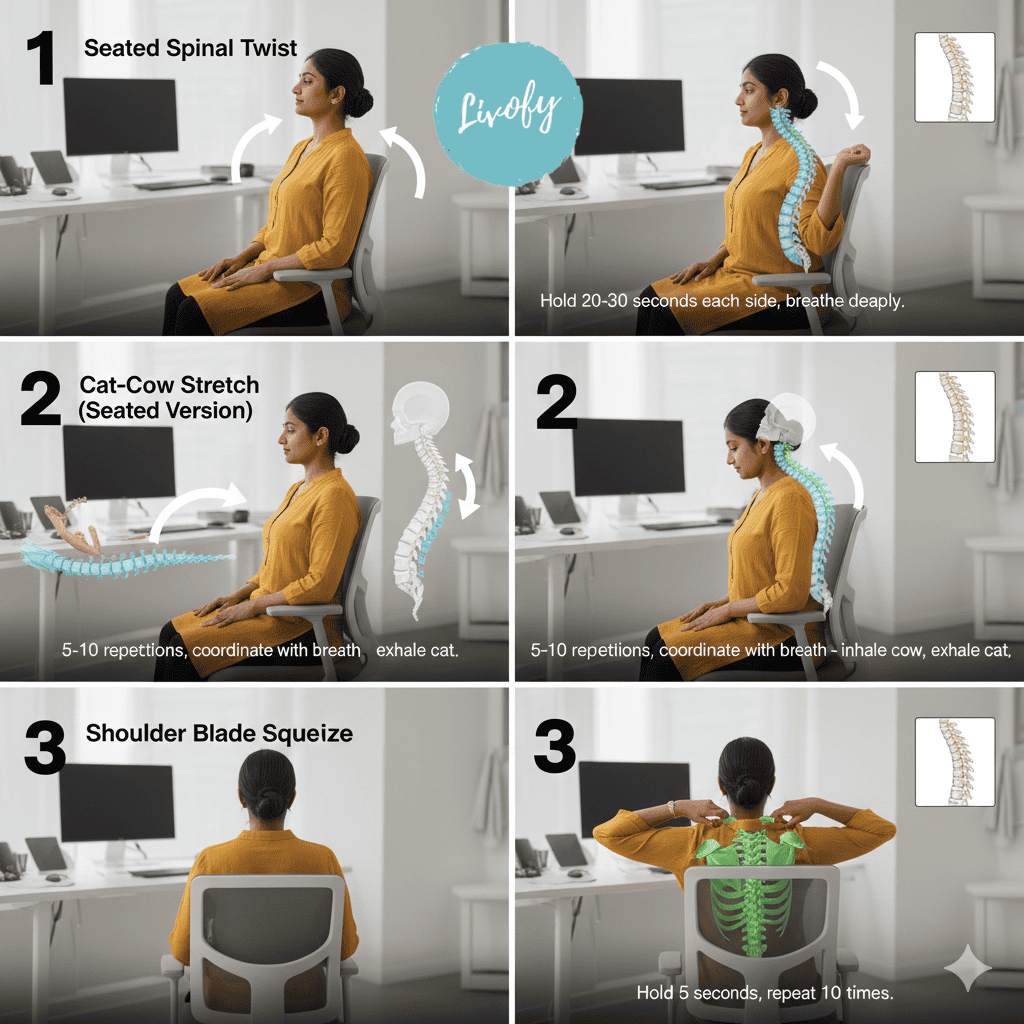
The seated spinal twist is fantastic for releasing tension in your upper back.
Sit sideways in your chair with your feet flat on the floor. Hold the back of the chair with both hands and gently twist your torso toward the back of the chair.
Don’t force it. Just twist until you feel a gentle stretch. Hold for 20-30 seconds, breathing deeply, then turn around and do the other side.
Cat-cow stretches aren’t just for yoga class. You can do a modified version at your desk.
Sit at the edge of your chair with your hands on your knees. As you inhale, arch your back and look up slightly (cow pose). As you exhale, round your spine and tuck your chin (cat pose).
This gentle movement helps mobilize your entire spine and releases tension throughout your back. Do this about 5-10 times, moving slowly and coordinating with your breath.
For targeted upper back relief, try the shoulder blade squeeze. Sit up tall and squeeze your shoulder blades together, like you’re trying to hold a pencil between them.
Hold for 5 seconds, then release. Repeat this 10 times.
It helps strengthen the muscles between your shoulder blades, which often get weak and overstretched from poor posture.
Lower Back Relief Stretches
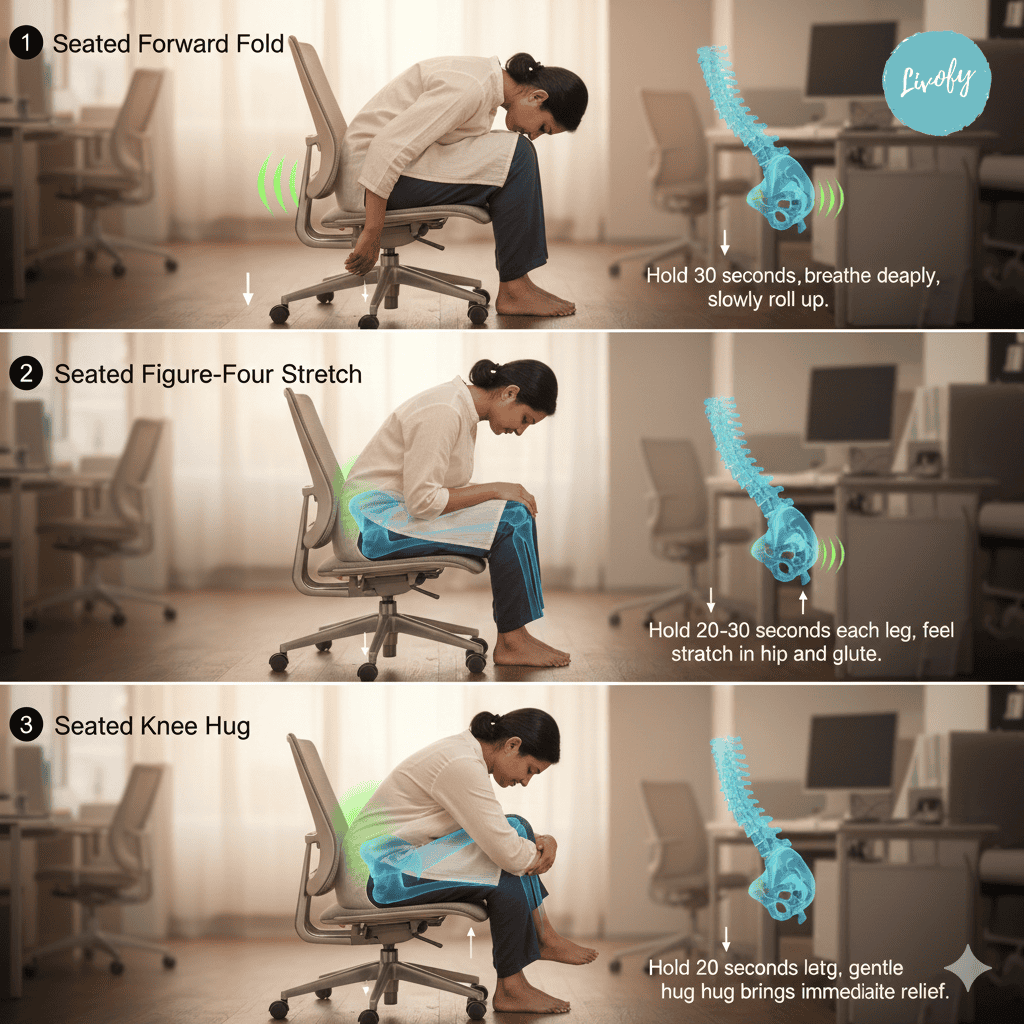
The seated forward fold is one of the best back pain desk stretches for lower back pain.
Sit at the edge of your chair with your feet hip-width apart. Slowly hinge forward from your hips, letting your upper body fold over your thighs.
Let your arms hang down or rest your hands on the floor if you can reach. You should feel a gentle stretch in your lower back and hamstrings.
Take several deep breaths here, then slowly roll back up.
The seated figure-four stretch targets both your hips and lower back. While sitting, cross your right ankle over your left knee (making a figure-four shape with your legs).
Sit up tall, then gently lean forward from your hips until you feel a stretch in your right hip and glute. Hold for 20-30 seconds, then switch legs.
This stretch is gold for anyone dealing with lower back tightness.
For immediate lower back relief, try the seated knee hug. Sit at the edge of your chair and hug one knee into your chest, using your hands to gently pull it closer.
Hold for 20 seconds, feeling the stretch in your lower back and hip. Switch legs and repeat.
This simple movement can provide quick relief when your lower back is feeling particularly cranky.
Hip Flexor Stretches While Seated
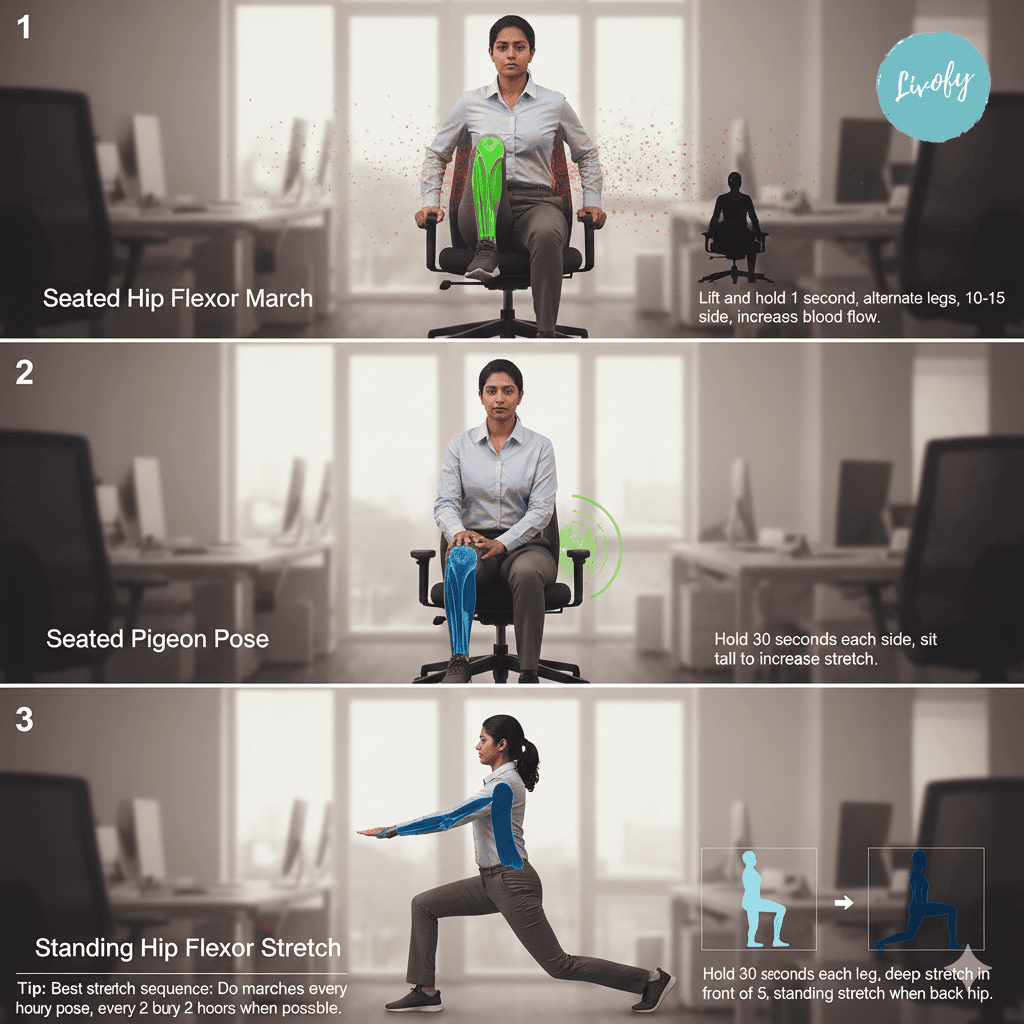
Even though it might seem impossible to stretch your hip flexors while sitting, there are some clever hip flexor stretches sitting positions that work well.
The seated hip flexor march is simple but effective. Sit up tall and lift one knee toward your chest, hold for a second, then lower it.
Alternate legs, doing about 10-15 on each side. This gets blood flowing to your hips and gently stretches those tight hip flexors.
For a deeper hip opener, try the seated pigeon pose variation. Cross your right ankle over your left knee, then gently press down on your right knee with your hand.
You should feel a stretch in your right hip. Sit up tall to increase the stretch. Hold for 30 seconds, then switch sides.
When you can stand up for a moment, the standing hip flexor stretch is incredibly effective.
Step into a lunge position with your right foot forward. Lower your back knee toward the ground (or keep it straight if that’s more comfortable) and push your hips forward gently.
You should feel a deep stretch in the front of your left hip. Hold for 30 seconds, then switch legs.
Creating a Routine That Sticks
Knowing what to do is one thing, but actually doing it consistently is another story.
The key is creating a routine that works with your schedule, not against it. Think of it like brushing your teeth. It’s not optional, it’s just something you do to maintain your health.
Setting Stretch Reminders
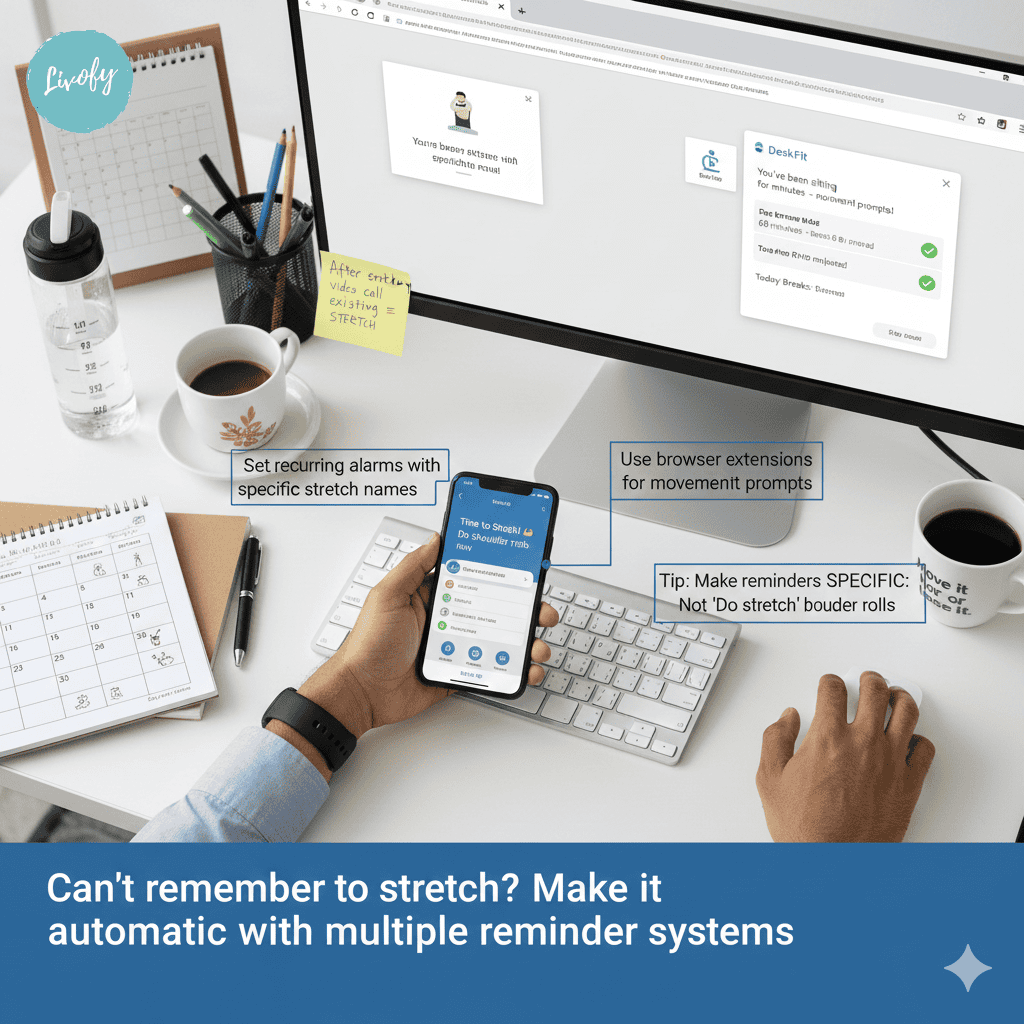
Your phone is probably glued to your hand already, so why not use it to help you remember to do your desk stretches? Set up recurring alarms or use one of the many apps designed for movement reminders. Some people like hourly reminders, while others prefer every 90 minutes. Experiment to find what works for your schedule and attention span.
Make your reminders specific. Instead of just “stretch,” have them say “do neck stretches” or “shoulder rolls time.” This makes it easier to just do it without having to decide what to do. You can also tie your stretches to existing habits. Every time you finish a report, do a seated twist. After every video call, do some shoulder stretches. These habit stacks make the behavior more automatic.
Quick Stretches Between Meetings
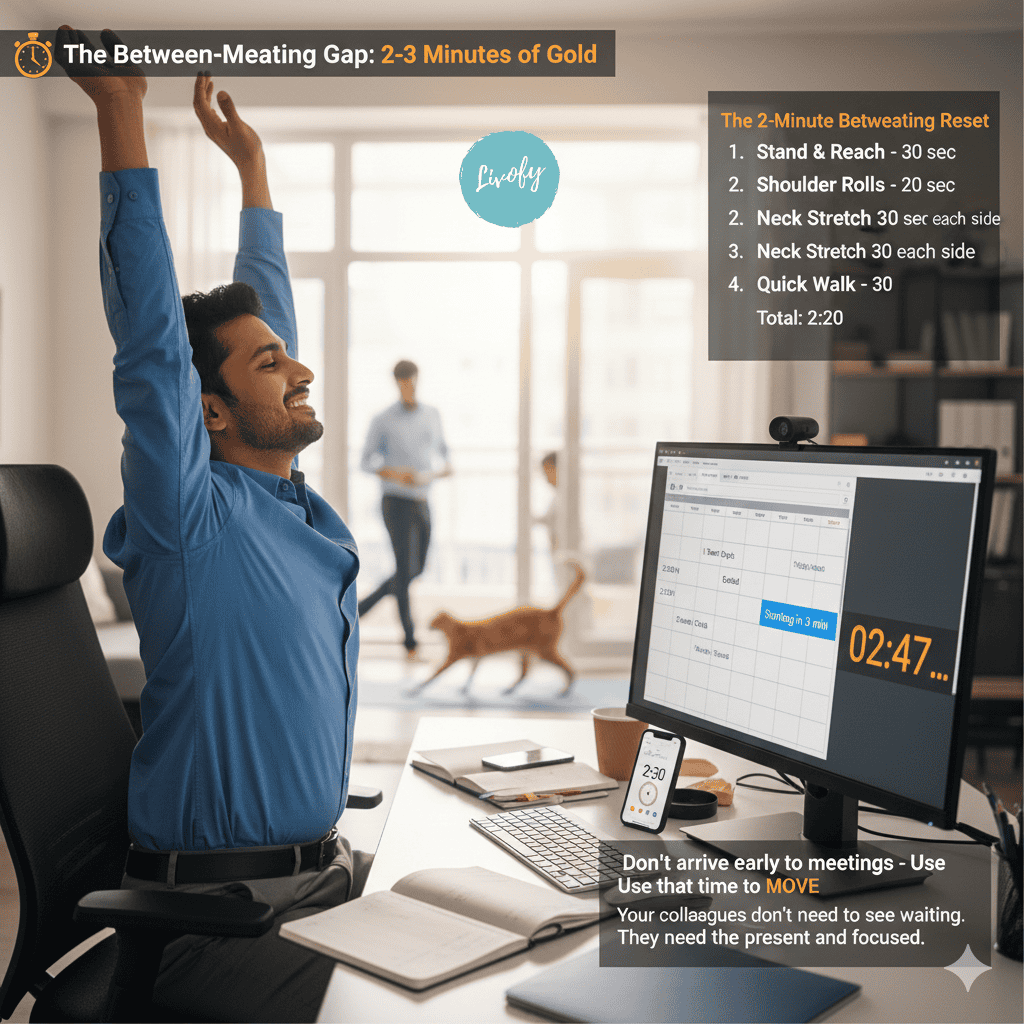
The gaps between meetings are perfect opportunities for stretching. Even if you only have 2-3 minutes, that’s enough time for a quick sequence. Stand up, do some shoulder rolls, reach your arms overhead, do a quick neck stretch each direction, and you’re done. This brief movement helps reset your posture before the next meeting starts.
If you’re joining video calls, turn your camera off a few minutes early and use that time to stretch. Do some standing stretches before sitting back down for the call. Your colleagues don’t need to see you arrive five minutes early anyway. For back-to-back meetings (the absolute worst for your body), try to build in 5-minute buffers when you can.
Schedule your meetings to end 5 minutes before the hour instead of on the hour. Use that time to stand, stretch, use the bathroom, and grab water. Your body will thank you, and honestly, you’ll be more present in your meetings.
Evening Wind-Down Stretches
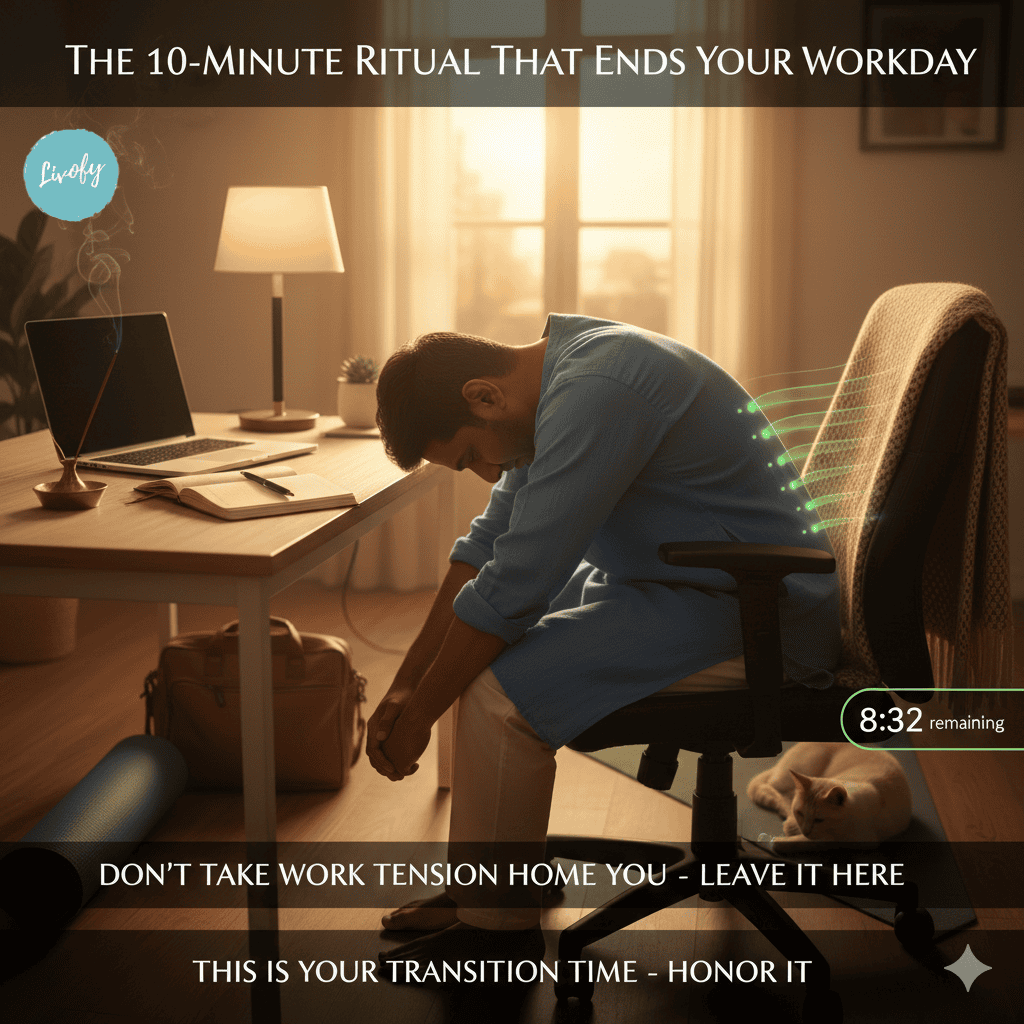
The transition from work mode to home mode deserves some intentional stretching. Before you shut down your computer for the day, take 5-10 minutes for a longer stretching session. This signals to your body that the work day is over and helps you release the physical and mental tension you’ve accumulated.
Your evening routine can be more comprehensive than your quick daytime stretches. Do the entire sequence. Neck, shoulders, back, and hips, holding each one a bit longer than usual.
This is also a great time to add in some gentle movement like walking around your space or doing some light yoga if you have a mat nearby. Consider making this evening stretch session a non-negotiable part of your day, like the end-of-day ritual that closes out your work.
Beyond Stretching: Desk Setup Matters
Here’s the truth: all the stretching in the world won’t fully compensate for a terrible desk setup. If your workstation is set up poorly, you’re fighting an uphill battle. The good news is that most desk setup problems are easy to fix with either no money or minimal investment.
Proper Chair Height and Position
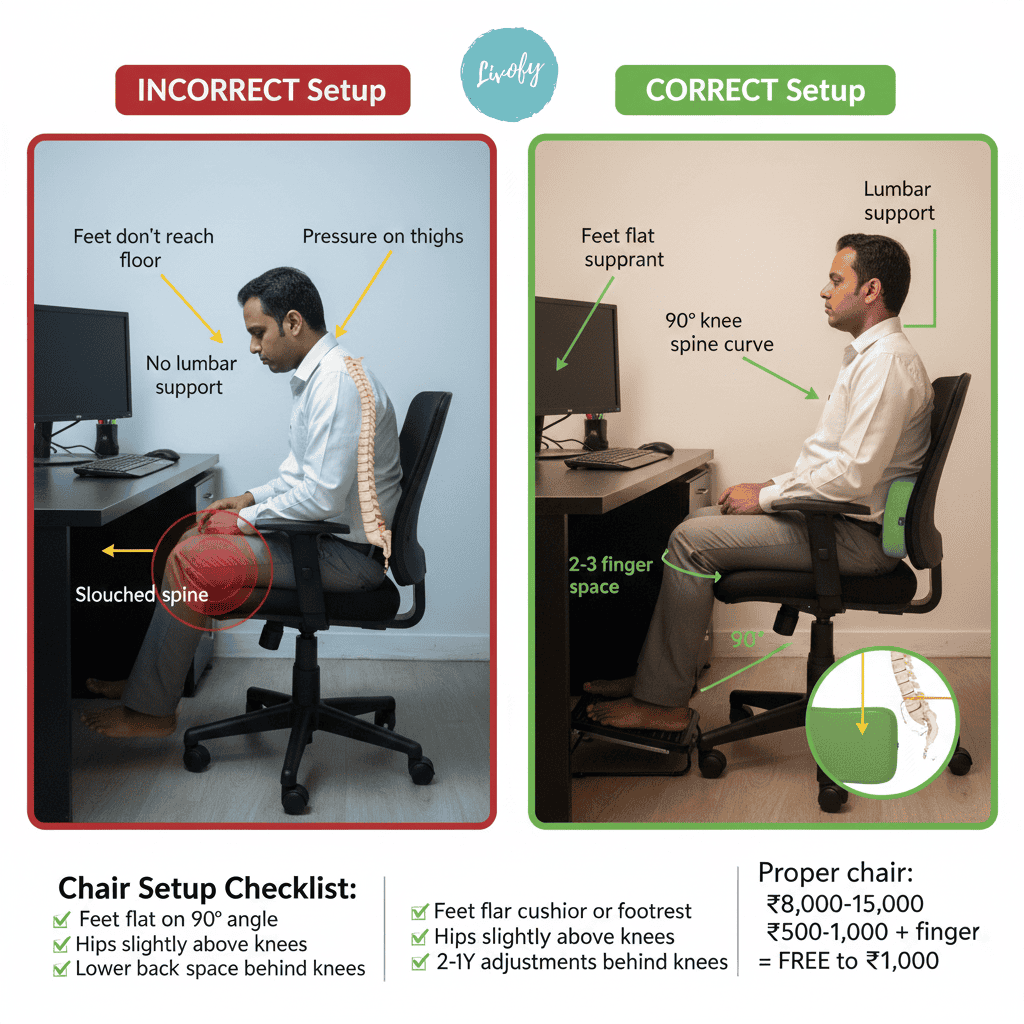
Your chair height might seem like a small detail, but it has a huge impact on your posture. Your feet should be flat on the floor (or on a footrest), and your knees should be at about a 90-degree angle.
If your chair is too high and your feet dangle, it puts pressure on the back of your thighs and can contribute to lower back pain. Too low, and your hips are scrunched up in a way that’s terrible for your hip flexors.
The seat depth matters too and you should be able to sit with your back against the backrest while having a few fingers’ width of space between the back of your knees and the chair edge. Your lower back needs support. If your chair has lumbar support, adjust it so it fits the natural curve of your lower spine.
If it doesn’t have lumbar support, roll up a small towel or get a lumbar cushion (they’re cheap!). This support helps maintain the natural curve of your spine and takes pressure off your lower back muscles.
Monitor and Keyboard Placement
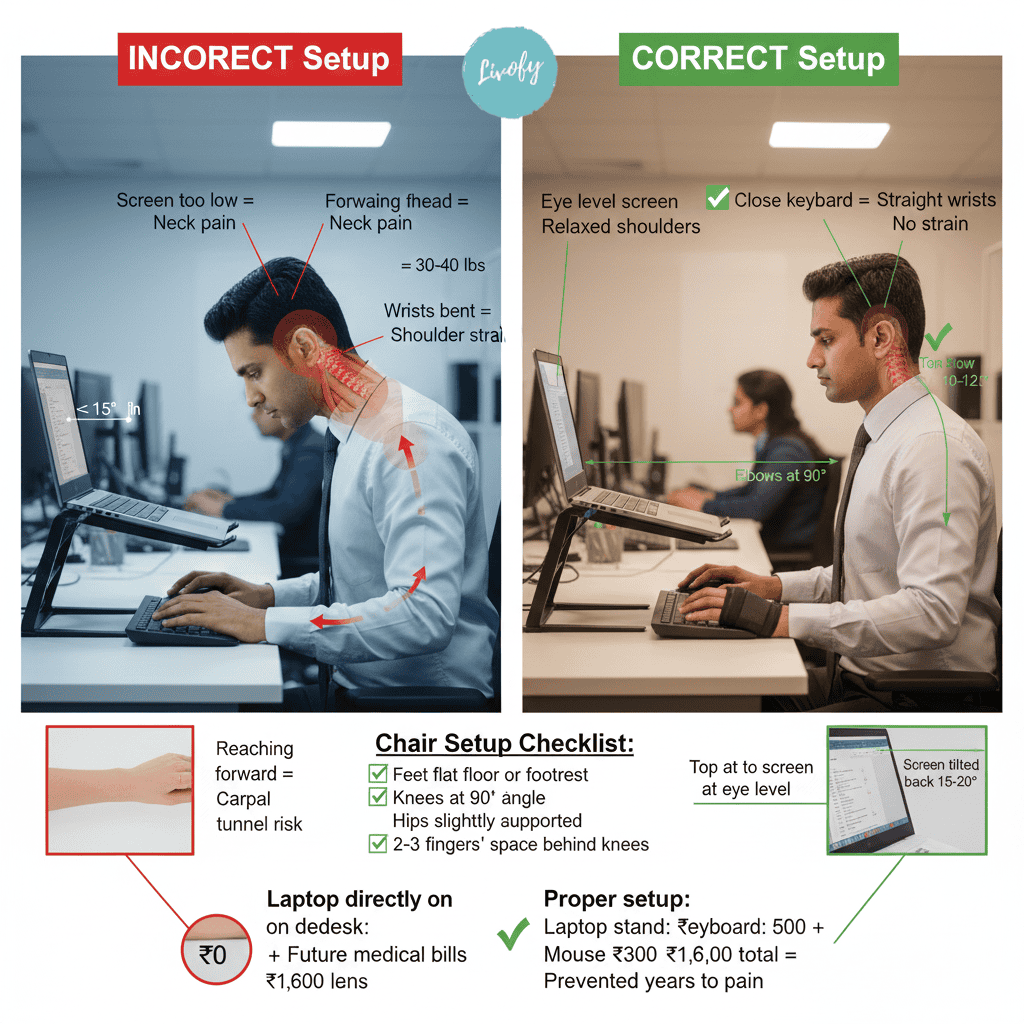
Your monitor placement is crucial for preventing neck strain. The top of your screen should be at or slightly below eye level, and the screen should be about an arm’s length away.
If you’re constantly looking down at your laptop, you’re asking for neck problems. Get a laptop stand or stack some books under it.
For keyboard and mouse placement, keep them close enough that you don’t have to reach forward. Your elbows should be at about a 90-degree angle when typing, with your wrists in a neutral position.
If you’re using a laptop keyboard without a separate keyboard, you’re probably compromising either your screen height or your arm position.
Consider getting an external keyboard and mouse. They’re worth the investment. You can find decent ones for under ₹1000.
Taking Walking Breaks
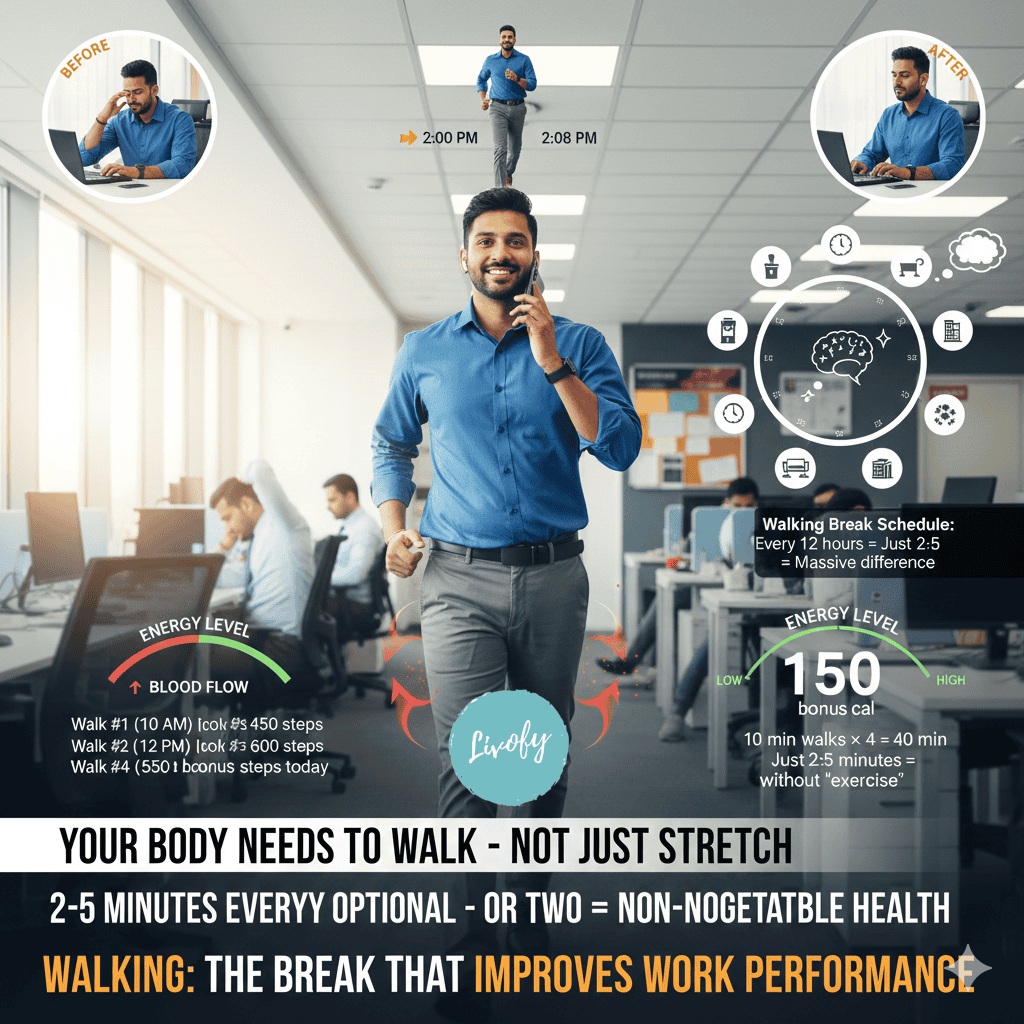
Let’s be clear: stretching is great, but it’s not a substitute for actually getting up and moving around.
Your body needs to walk, change positions, and do something other than sit. Aim for a short walk every hour or two. Even if it’s just to the bathroom, water cooler, or around your house if you work from home.
Walking breaks serve multiple purposes. They get your blood flowing, give your eyes a break from the screen, and provide mental refreshment. Some of your best ideas might come during these walks. Even a 2-minute walk can make a difference in how you feel.
If possible, take phone calls while walking. Pop in your earbuds and pace around while you talk. This is one of the easiest ways to add movement to your day without feeling like you’re taking time away from work.
Conclusion
Look, I get it. You’re busy, you have deadlines, and sometimes stretching feels like just another thing on your to-do list. But here’s the thing: taking care of your body isn’t optional. These desk stretches aren’t a luxury; they’re maintenance, like charging your phone or getting an oil change for your car. The investment of a few minutes each day pays massive dividends in reduced pain, better posture, and more energy.
Your stretching doesn’t have to be perfect. You don’t need flawless form from day one. You just need to start and keep showing up. Whether you’re 20 or 60, fit or sedentary, these simple movements can work for you. Stop waiting for the perfect moment to start taking care of your body. Set a timer for 5 minutes, do a few of these stretches, and notice how much better you feel. Your future self is already thanking you.
Related Posts